Audit Log
The Audit Log records all administrative actions in the system — user creation, role changes, password resets, location changes, and more.
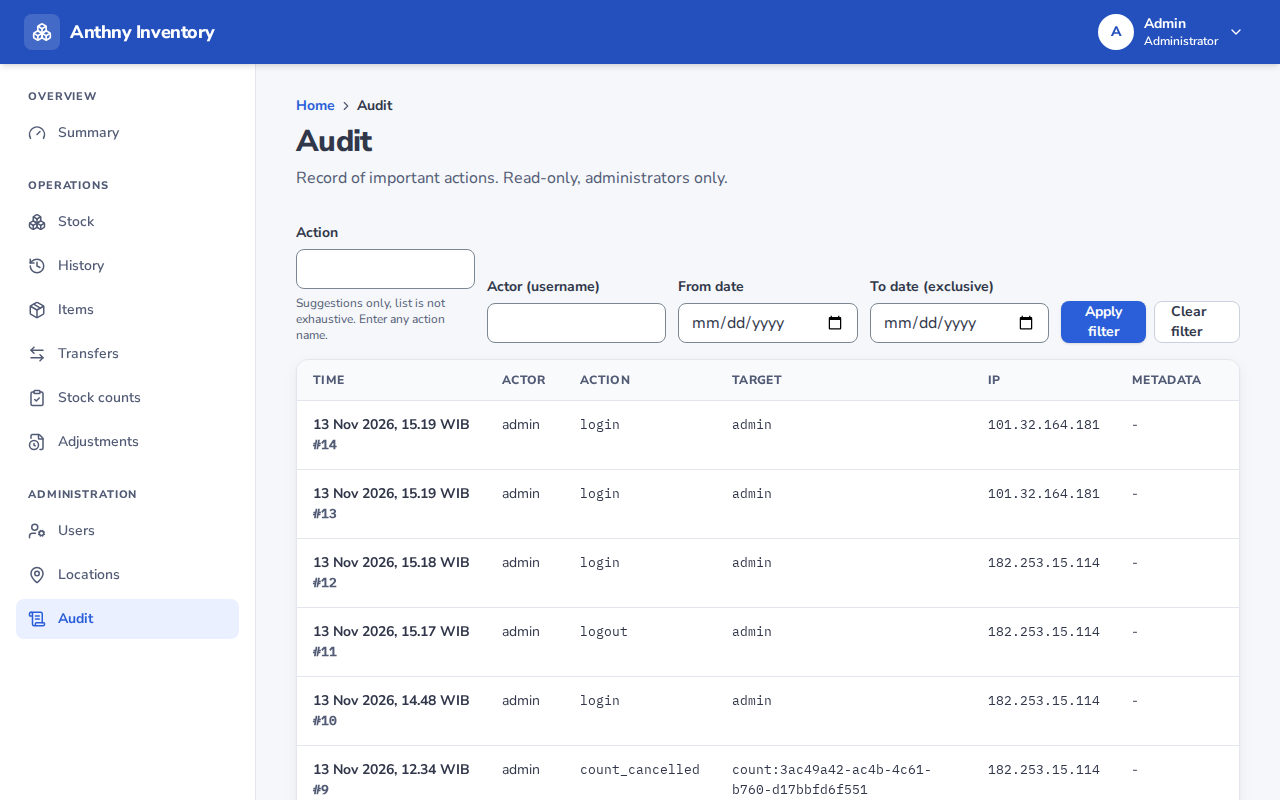
Go to Admin → Audit log.
Who can view
Admins only.
What is logged
| Action | Logged |
|---|---|
| User created | ✅ |
| User role changed | ✅ |
| User enabled / disabled | ✅ |
| Password reset | ✅ |
| Location created | ✅ |
| Location renamed | ✅ |
| User assigned to location | ✅ |
| User removed from location | ✅ |
Stock movements (receives, issues, transfers, adjustments) are recorded in the History ledger, not the audit log.
Reading the audit log
| Column | Description |
|---|---|
| Time | When the action was performed |
| Admin | Which admin performed the action |
| Action | What was done |
| Target | Which user or location was affected |
| Details | Additional context (e.g. old role → new role) |
Audit log retention
The audit log is permanent and cannot be cleared or deleted. It provides a complete record of who changed what and when.