Manage Locations
Locations are physical storage places tracked in the system — a main warehouse, a locker room, a team storage room, a stadium facility, etc.
Go to Admin → Locations.
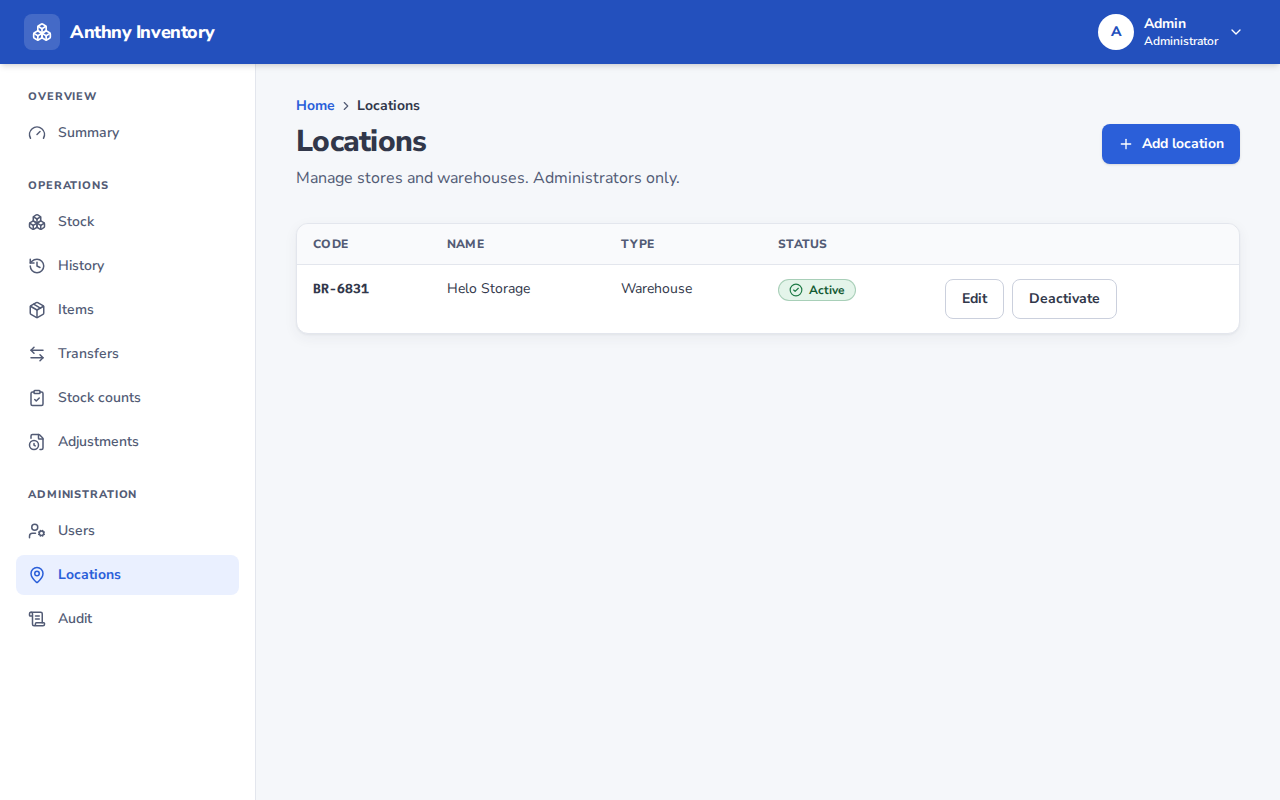
Add a location
- Click Add location
- Fill in:
- Code — a short unique identifier (e.g.
WH-MAIN,LOCKER-A,STAD-01) - Name — a descriptive name (e.g. "Main Warehouse", "Team A Locker Room")
- Code — a short unique identifier (e.g.
- Click Create
Assign users to a location
After creating a location, assign which users can access it:
- Click Manage access next to the location
- Check the users who should have access
- Save
A user only sees and can operate on locations they are assigned to. Admins can see all locations by default.
Frozen locations
A location is frozen automatically when a stock count session is active. While frozen:
- No receives, issues, or transfers are allowed
- A warning banner is shown on affected pages
The freeze is lifted automatically when the count session is closed.
Renaming a location
Click Edit next to the location to change its name or code. Historical records will still reference the old name in the audit log.
caution
Avoid changing location codes after operations have been recorded — it may cause confusion when reviewing historical data.